
Datasets
A dataset is a table of examples that an LLM eval or a RAG eval sends to your endpoint, one row at a time. Each row has an input and, optionally, the answer you expect, a grading rubric and a reference passage. Datasets belong to a project, and several evals can share one.
Columns
Section titled “Columns”| Column | Required | Also accepted as | What it is for |
|---|---|---|---|
input |
yes | question, prompt, query, user_input, message, inputs |
Sent to your endpoint as {{input}}, and shown to the judge. |
expected |
no | expected_output, expected_answer, ground_truth, reference, reference_answer, ideal, target, gold, label |
The answer you expect. The judge compares substance, not wording. |
rubric |
no | criteria, grading_notes |
Grading notes for this row. Overrides the test’s rubric for the rubric metric. |
context |
no | reference_context, ground_truth_context, gold_context |
A ground-truth passage. Used as the judge’s reference when the row has no expected. |
Header names are matched without regard to case, and spaces or hyphens count as underscores, so
Expected Output works. An exact name beats an alias, and the first matching column wins. Any other
columns are kept with the row (you see them in the preview) but are not sent to your endpoint or the
judge. Rows with an empty input are skipped and counted.
File formats
Section titled “File formats”input,expectedHow long do I have to return an item?,30 days from delivery."Do you ship to Canada?","Yes, in 5–8 business days.""Can I change my delivery address after ordering?","Yes, until the order ships.Go to Orders, then Change address."Quote cells that contain commas, quotes or line breaks. The delimiter is detected automatically
(comma, semicolon, tab or |), so spreadsheet exports from most locales work.
{"input": "How long do I have to return an item?", "expected": "30 days from delivery."}{"question": "Do you ship to Canada?", "ground_truth": "Yes, in 5–8 business days.", "context": ["We ship to the US and Canada.", "Canadian orders arrive in 5–8 business days."]}{"input": "Is there a fee for exchanges?", "expected": "No, exchanges are free.", "rubric": "Must not mention restocking fees."}One JSON object per line. Rows may use different column names (aliases are resolved per row), and a
list value such as context is kept as a list of up to 50 items.
{ "rows": [ { "input": "I was charged twice. Can I get a refund?", "expected": "Yes; the duplicate charge is refunded in 3–5 business days." }, { "input": "Can I get a refund after 60 days?", "expected": "No; refunds are available for 30 days." } ]}A top-level list of rows, or an object holding the list under rows, data, examples, items or
records. A plain string in the list becomes a row with only an input:
["How do I reset my password?", "Where is my order?"].
input expectedWhere is my order? Track it from Orders → Track package.Tab-separated values with a header row, as exported by spreadsheets.
The format comes from the file extension (.csv, .tsv, .jsonl, .ndjson, .json; .txt is
read as CSV), or from the content when the extension is missing. Files can be UTF-8 (with or without
a byte-order mark), UTF-16 with a byte-order mark (Excel’s Unicode text), or Windows-1252 as a last
resort.
Limits
Section titled “Limits”| Limit | Value |
|---|---|
| File size | 10 MB per upload |
| Rows | 5,000 per dataset |
| Columns | 50 |
| Cell length | 20,000 characters (longer cells are trimmed) |
| Dataset name | 120 characters (defaults to the file name) |
| Rows scored per run | sample_size, at most MAX_EVAL_ROWS_PER_RUN (default 500) |
Upload a dataset
Section titled “Upload a dataset”-
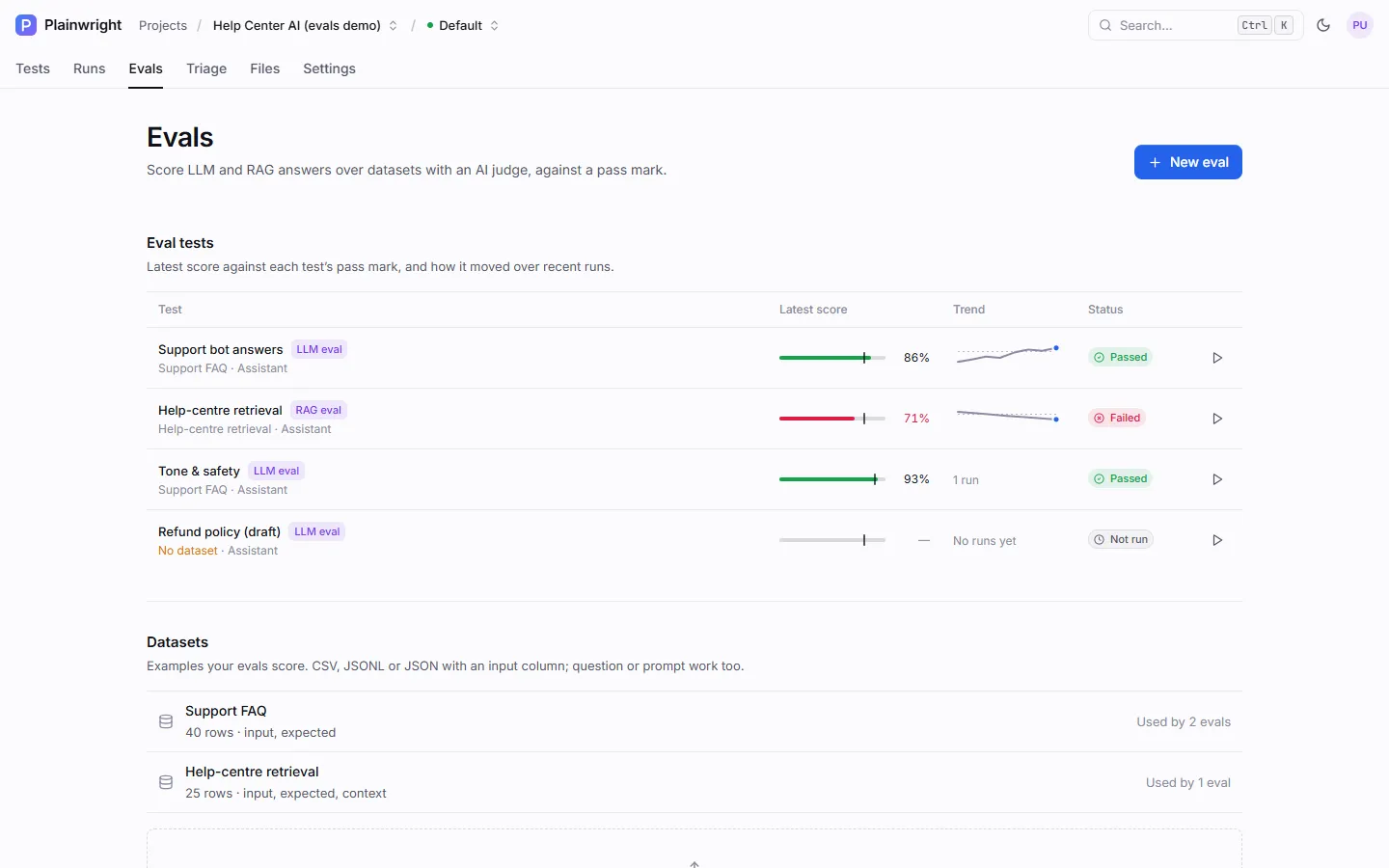
Open Project → Evals and scroll to Datasets.
-
Drop one or more CSV, JSONL or JSON files on the drop zone, or click it to browse. A message confirms how many rows were loaded and how many were skipped for having no input.
-
Click a dataset to preview its rows or delete it. Used by shows how many evals point at it.
You can also upload straight from an eval’s settings with the Upload button next to Dataset.
Manage datasets over the API
Section titled “Manage datasets over the API”| Method and path | What it does |
|---|---|
GET /api/datasets/project/{project_id} |
List the project’s datasets (without rows), with row_count, columns and used_by. |
POST /api/datasets/project/{project_id} |
Create one from a multipart file (plus optional name, description), or from JSON {name, rows, description?}. Returns the dataset, skipped and the first 20 rows as preview. |
GET /api/datasets/{dataset_id}?offset=0&limit=50 |
The dataset and a page of its rows (limit up to 500). |
PUT /api/datasets/{dataset_id} |
Change name, description or rows. New rows replace all existing rows. |
DELETE /api/datasets/{dataset_id} |
Delete the dataset. |
Reads need viewer access to the project; creating, changing and deleting need editor access.
curl -s -X POST http://localhost:8080/api/datasets/project/$PROJECT_ID \ -H "Authorization: Bearer $PLAINWRIGHT_TOKEN" \ -F "file=@support-faq.csv" -F "name=Support FAQ" -F "description=Top 40 support questions"curl -s -X POST http://localhost:8080/api/datasets/project/$PROJECT_ID \ -H "Authorization: Bearer $PLAINWRIGHT_TOKEN" -H "Content-Type: application/json" \ -d '{"name": "Smoke", "rows": [{"input": "Where is my order?", "expected": "Track it from Orders."}]}'The response’s id is the dataset_id you put in an eval’s config. See
Work from the API for getting a token.
How a row reaches the judge
Section titled “How a row reaches the judge”For every row an eval scores:
inputis sent to your endpoint (as{{input}}in the body template) and shown to the judge.expectedis shown to the judge as the expected answer. If it is empty but the row has acontext, the context is shown in its place, marked as reference context.- The row’s
rubric, or else the test’srubric, is shown to the judge for therubricmetric. - List values are joined with line breaks; other non-text values are sent as JSON.
An input may contain {{secrets.NAME}} placeholders, for example a test account’s token. They’re
filled in only in the request to your endpoint. Everything the judge sees (input, output, expected
answer, contexts and rubric) is scrubbed first, so a secret your endpoint echoes, or a retrieved
passage that contains one, reaches the judge’s provider as ••••.
When a test sets sample_size, a fixed sample is drawn: the same rows every run, chosen from the test’s
id (or from sample_seed when set) and kept in their original order. That keeps runs comparable.
Tips for a useful dataset
Section titled “Tips for a useful dataset”- Start small and real. Twenty to fifty questions your users actually ask, plus the edge cases that have caused incidents, beat a thousand synthetic ones.
- Write expected answers as the key facts. “30 days from delivery” lets the judge accept any wording that carries the fact.
- One behaviour per dataset. Separate datasets for FAQ accuracy, tone and refusals keep each score meaningful, and each can have its own pass mark.
- Use
rubricfor rows that need special handling, such as “Must refuse and point to a human agent” for a question the assistant should not answer.