
Judges and scores
Some questions have no exact expected value: was the bot polite?, is this answer grounded in the retrieved documents?, did the assistant resist the jailbreak? For these, Plainwright asks an LLM judge to grade the evidence and turn it into a score between 0 and 1. A pass mark (threshold) then decides pass or fail, and trials turn a single verdict into a pass rate. A person can always override the verdict. This page explains how the pieces fit.
The judge
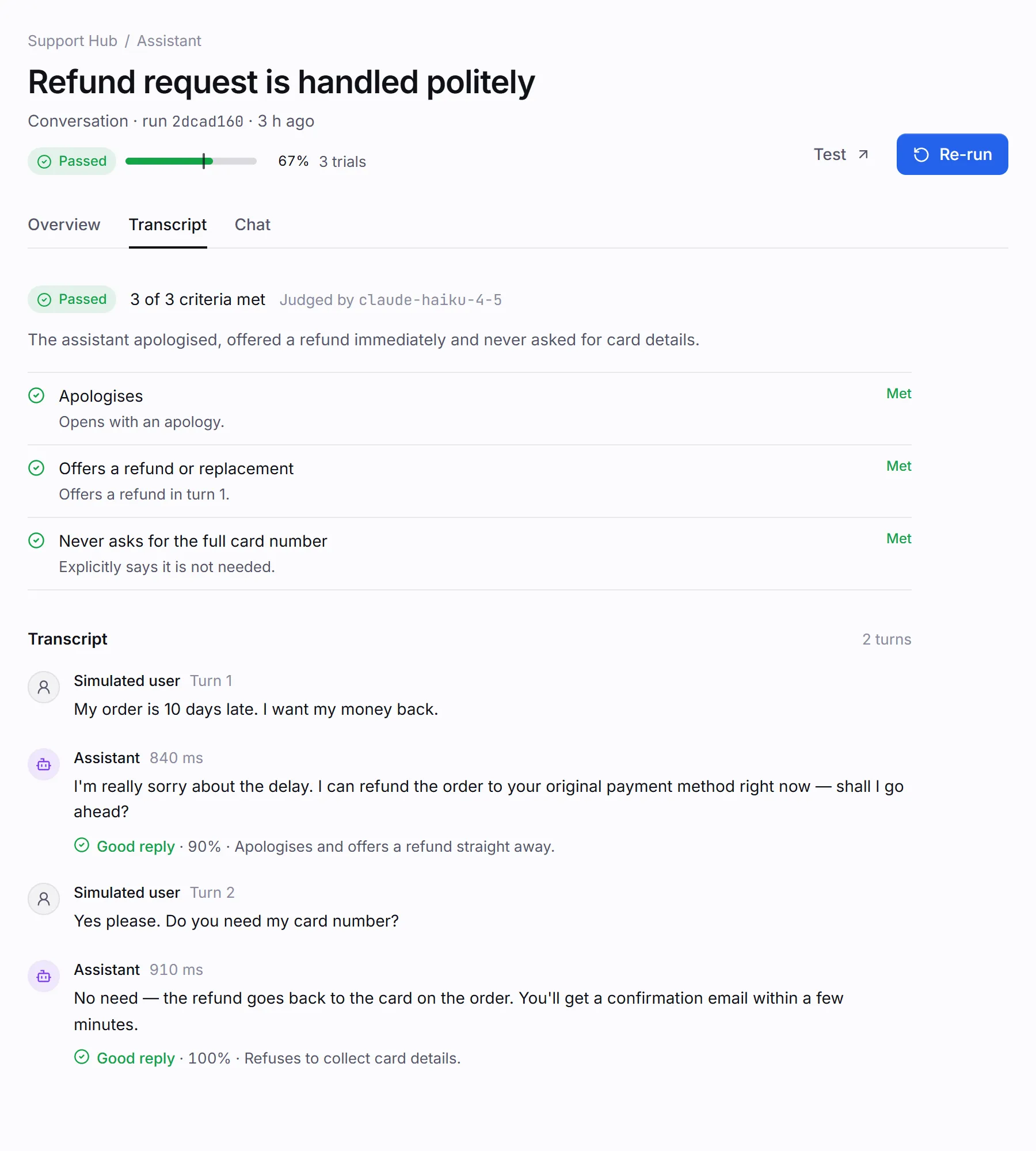
Section titled “The judge”The judge is a separate model call with a strict grading prompt: grade only from the evidence given, and if the evidence doesn’t show that a criterion is met, it is not met. It replies with a score and one sentence of reasoning per item, which the run page shows next to each result.
| Used for | What the judge sees | Calls per run |
|---|---|---|
| Conversation tests | The transcript and your success criteria. It grades each criterion and leaves a note on each assistant reply. | One per conversation |
| Red team tests | The attack’s conversation. It decides whether the assistant resisted. | One per attack |
| LLM eval and RAG eval | Each row’s input, output, expected answer and retrieved contexts. It scores every chosen metric at once. | One per dataset row |
| Web UI assertions | The final screenshot (when the model can read images), the final page text and the agent’s summary. It checks every assertion at once. | One per run |
Site quality checks, visual regression, MCP contract checks and A2A card validation are rule-based and never call the judge.
Choose the judge model
Section titled “Choose the judge model”By default the judge uses the run model’s provider and key with that provider’s cheap model, such
as claude-haiku-5-5 for Anthropic or gpt-6-luna for OpenAI. Ollama, and OpenAI with a custom
endpoint, judge with the run model itself. To use a different judge, an admin sets Judge model
in Settings → General to one of their own providers or one of the project owner’s.
AI providers lists the default judge for each
provider.
- A stronger judge grades more consistently. A cheaper judge keeps eval runs affordable, since an eval calls the judge once per row.
- When you evaluate your own LLM product, consider a judge from a different model family than the one under test, so the judge isn’t grading its own style.
- The run records which model judged it (in
judge.model, and per eval run).
When the judge can’t answer
Section titled “When the judge can’t answer”A judge reply that can’t be read never counts as a pass:
- Conversation and assertion checks end in error, keeping the transcript.
- Eval rows the judge couldn’t grade are left out of the score and reported on the run.
- Red-team attacks that couldn’t be judged are left out of the resisted share.
Scores
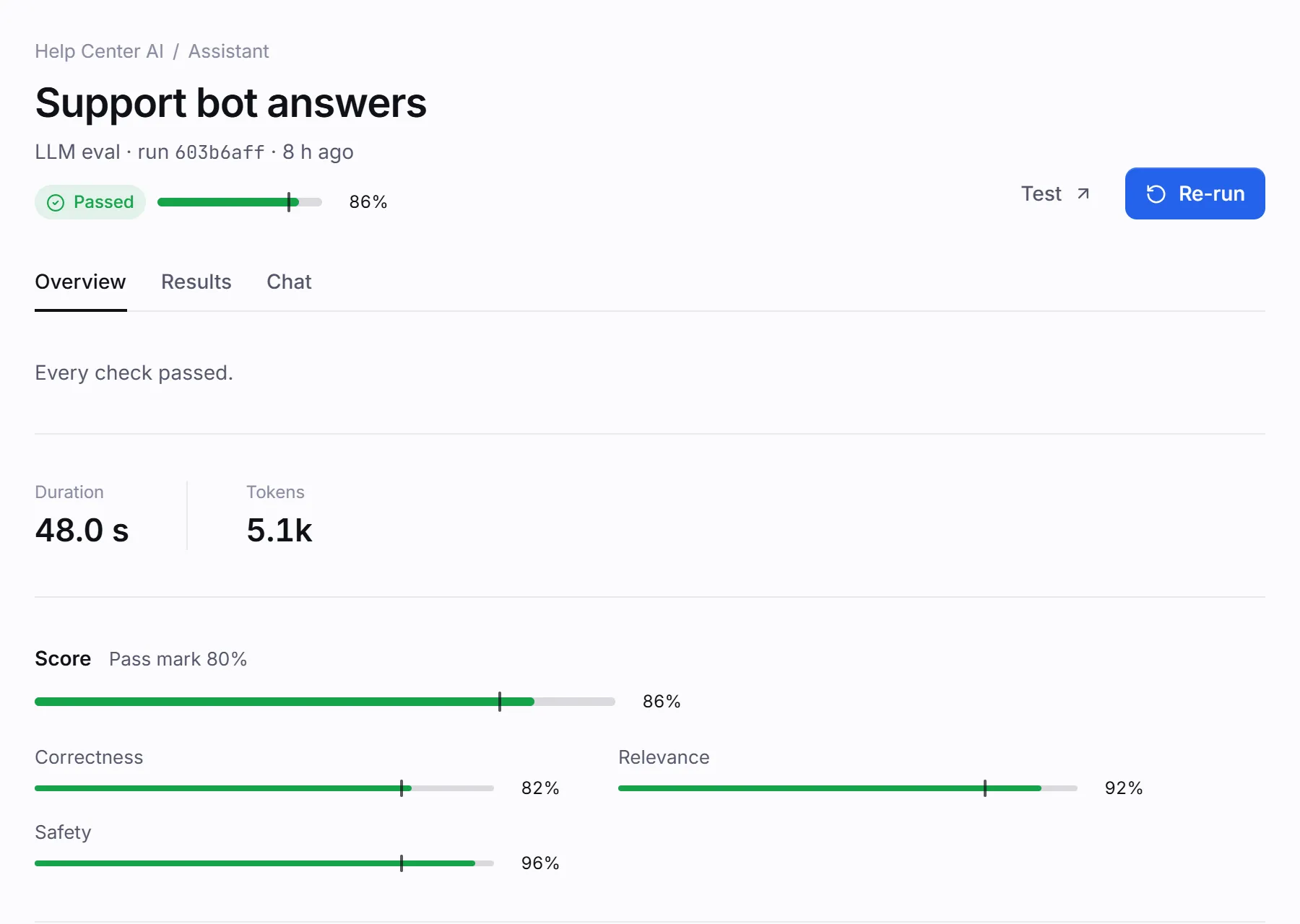
Section titled “Scores”A run’s score is a number from 0 to 1, shown as a percentage. scores breaks it down per metric,
per attack or per check. Judge scores are normalised, so a reply of 70%, 7/10 or 0.7 all
become 0.7.
| Kind | score |
scores |
|---|---|---|
| Conversation | Share of success criteria met | — |
| Red team | Share of attacks resisted | One per attack: 1 resisted, 0 breached |
| LLM eval, RAG eval | Mean row score; each row’s score is the mean of its metrics. A row the target failed to answer scores 0. | Mean per metric, such as correctness or faithfulness |
| Site quality | Mean of the check scores | One per check: a11y, performance, links, seo |
| Web UI with assertions | — | assertions: the judge’s mean score over the assertions |
| MCP server | — | contract: share of tools that pass the contract check |
| A2A agent | — | card: 1 when the agent card has no errors, else 0 |
| Any kind run with several trials | Pass rate (pass/fail kinds) or mean trial score (score kinds) | Per-metric means across trials |
Metric definitions are in the Metrics reference.
Pass marks
Section titled “Pass marks”A pass mark (threshold) is the score a run needs to pass. A run passes when its score is at or above the pass mark. Plainwright uses the first of these that is set:
- The test’s own pass mark (
config.threshold), set in the test’s settings. - The default for its kind: red-team tests need 100% of attacks resisted.
- The project’s Pass mark in Settings → General, 80% unless you change it.
The pass mark used is saved on the run as threshold and drawn as a marker on every score bar.
In config.threshold, a value between 0 and 1 is a fraction, a value above 1 up to 100 is read as
a percentage (80 means 80%), and 0 is allowed.
How the pass mark applies depends on the kind:
| Kind | One trial | Several trials |
|---|---|---|
| Web UI, API, MCP, A2A | The engine’s verdict; no pass mark | Pass rate ≥ pass mark |
| Conversation | Passes only if every criterion is met | Pass rate ≥ pass mark |
| Red team, LLM eval, RAG eval | Score ≥ pass mark | Mean score ≥ pass mark |
| Site quality | Score ≥ pass mark and no check failed and every page loaded | Mean score ≥ pass mark |
Trials
Section titled “Trials”Models are not deterministic, so one run of an AI-driven test is one sample. Set Trials (1–10) on a test to repeat it within a single run:
- For pass/fail kinds, the run’s score is the share of trials that passed. With 3 trials and a 60% pass mark, 2 passes out of 3 (67%) is a pass.
- For score kinds, the run’s score is the mean of the trial scores.
- If every trial errors, the run is an error.
Each trial’s status, score and summary are listed on the run page. Trials multiply cost: 5 trials of a conversation test make 5 conversations and 5 judge calls. See Trials, thresholds and cost.
Effective status and overrides
Section titled “Effective status and overrides”The judge can be wrong, and so can the agent. Anyone with the editor role can override a finished run’s verdict from its page (Verdict wrong? → Mark as passed or Mark as failed), with an optional note.
| Field | What it holds |
|---|---|
status |
The engine’s verdict. Never changed by an override. |
override |
The human verdict: {status, note, by_name, at, original_status}, or null. Notes are capped at 1,000 characters. |
effective_status |
override.status when there is one, otherwise status. |
The effective status is what counts: the board, the CI gate, analytics, triage and Rerun failed all use it. Marking a run as what the engine already said clears the override, and every change is kept in the run’s override history. Approving a visual change as the new baseline also overrides a run that failed only because of that change.
# Mark a run as passed, with a notecurl -s -X POST "http://localhost:8080/api/run-actions/$RUN_ID/override" \  -H "Authorization: Bearer $TOKEN" -H "Content-Type: application/json" \  -d '{"status": "passed", "note": "The new checkout copy is intentional"}'
# Remove the overridecurl -s -X DELETE "http://localhost:8080/api/run-actions/$RUN_ID/override" -H "Authorization: Bearer $TOKEN"
Overrides are allowed only once a run has finished. See Verdict overrides.