
AI providers
Plainwright doesn’t ship a model of its own. You connect one, and it does three jobs: it drives the agent (clicking through your app, calling your API or your MCP server’s tools), it plays the simulated user in conversation and red-team tests, and it judges results. This page covers the six supported providers, how to add one, and how Plainwright decides which model a run uses.
Supported providers
Section titled “Supported providers”| Provider | Needs | Default endpoint | Notes |
|---|---|---|---|
| Anthropic | API key | Anthropic’s API | Claude models. Anthropic is also the server-wide fallback (claude-haiku-5-5). |
| OpenAI | API key | https://api.openai.com/v1 |
Accepts a custom endpoint for any OpenAI-compatible server, such as vLLM or LM Studio. |
| Google Gemini | API key | Google’s API | |
| OpenRouter | API key | https://openrouter.ai/api/v1 |
Many vendors behind one key. Pick models that list tool support. |
| Groq | API key | https://api.groq.com/openai/v1 |
Very fast hosted open models. See model availability before you pick one. |
| Ollama | nothing | http://host.docker.internal:11434 |
Local models on your machine. Installed models are listed live, and you can pull new ones from the app. |
The model picker suggests a few models per provider (the list comes from
GET /api/ai-configs/models). Providers retire models faster than any list keeps up, so you can
always choose Custom model id… and type any model the provider offers, as long as it supports
tool calling. Check a new model with Test connection before you rely on it.
Add a provider
Section titled “Add a provider”Providers belong to your account, not to a project. Every project you own can use them.
-
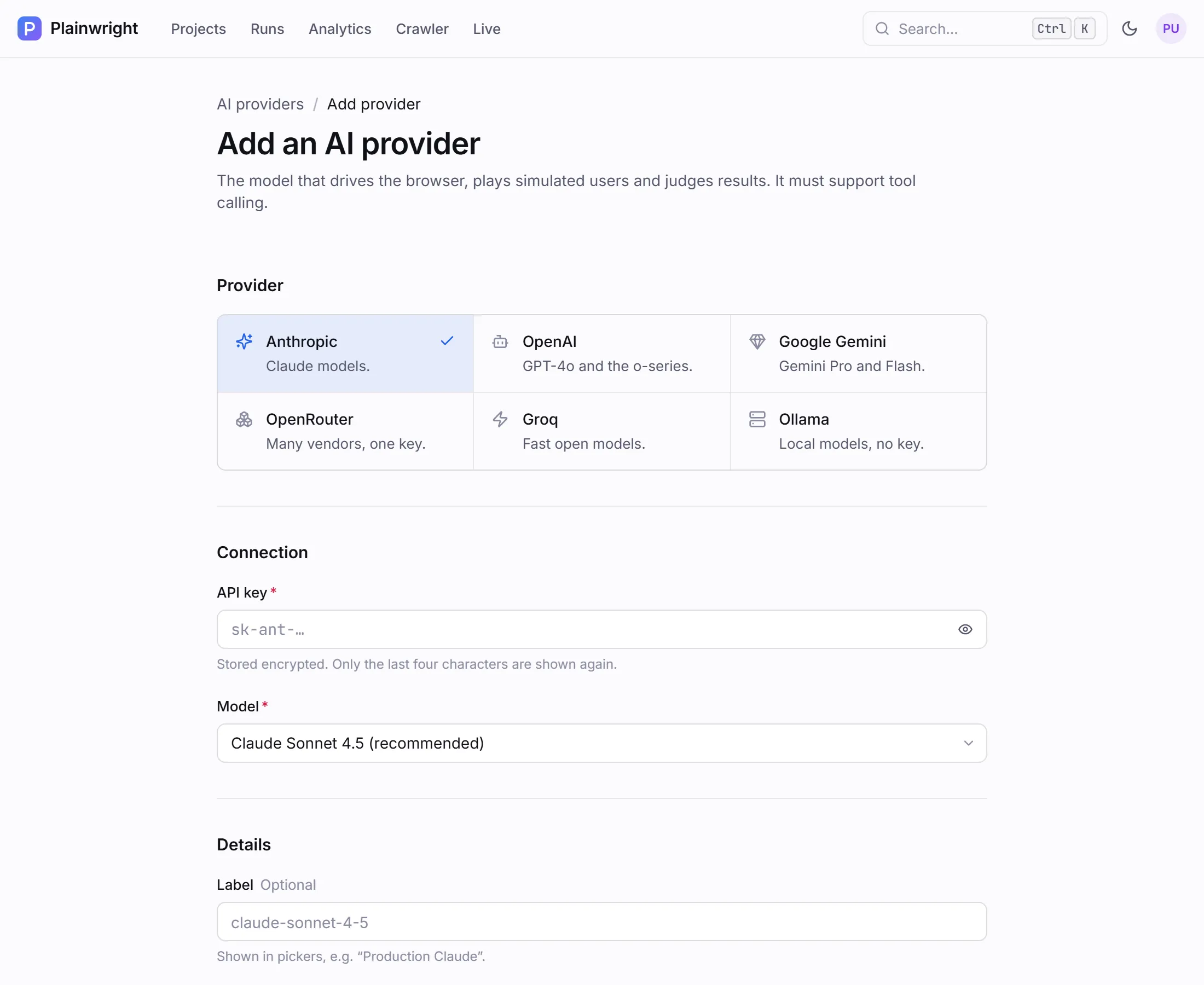
Open the avatar menu and choose AI providers, then Add provider. (The first step of the guided setup does the same thing.)
-
Pick the provider, paste the API key (not needed for Ollama) and choose a Model.
-
Optionally give it a Label such as Production Claude. Turn on Use as my default provider if this should be the model your projects use. The switch starts on when this is your first provider.
-
Click Save and test. Plainwright sends one tiny request with a no-op tool and reports either supports tool use ✓ or what went wrong. Save provider saves without testing.
Which model a run uses
Section titled “Which model a run uses”When a run starts, the worker picks the run model in this order:
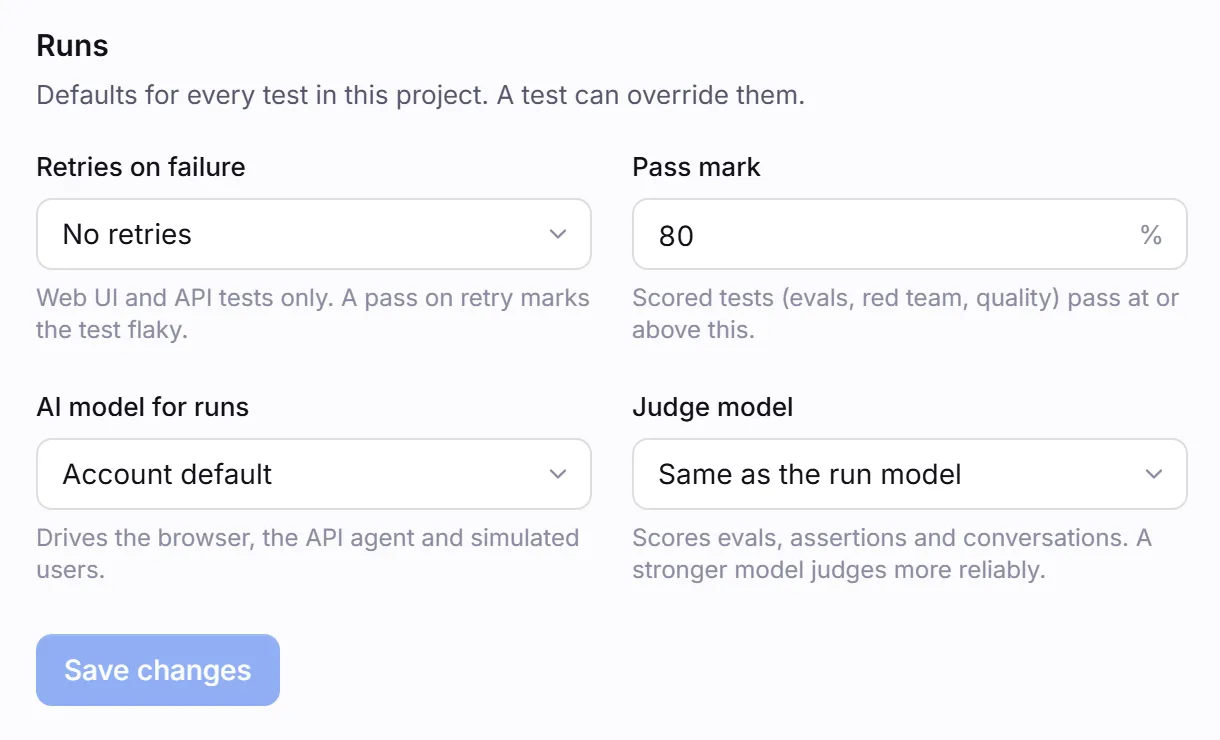
- The project’s AI model for runs (Settings → General), if an admin chose one.
- Otherwise, the project owner’s default provider.
- Otherwise, the server’s fallback: Anthropic’s
claude-haiku-5-5with theANTHROPIC_API_KEYfrom the server’s.env. If that is empty too, model calls fail and the run ends in error.
The judge model is the project’s Judge model if an admin set one. Otherwise the judge uses the run model’s provider, key and endpoint with that provider’s cheap model, because judging is simple, repeated work (one call per eval row, for example):
| Run model’s provider | Default judge model |
|---|---|
| Anthropic | claude-haiku-5-5 |
| OpenAI | gpt-6-luna (with a custom endpoint: the run model itself) |
| Google Gemini | gemini-3.5-flash-lite |
| Groq | openai/gpt-oss-20b |
| OpenRouter | anthropic/claude-haiku-5.5 |
| Ollama | the run model itself (local and free) |
| Job | Model |
|---|---|
| The browser agent (Web UI), the HTTP agent (API) and the MCP agent | Run model |
| Simulated users and attackers (conversation, red team, A2A conversations) | Run model |
| Explanations of failed runs, planned-step previews, root cause and run chat | Run model |
| Crawler suggestions and imports from Jira, Linear, GitHub, Figma and Notion | Run model |
| Scoring conversations, red-team attacks, eval and RAG rows, and Web UI assertions | Judge model |
| Site quality checks, visual regression, MCP contract checks, A2A smoke messages | None |
Each run records the provider and model it used (ai_provider, ai_model) and its token counts.
Analytics totals token use and cost by model.
Provider notes
Section titled “Provider notes”Ollama runs on your machine, outside Docker. The containers reach it at
http://host.docker.internal:11434. The compose file maps that name for the backend and workers, so
this also works on Linux.
- Models are discovered live. When you choose Ollama, the model list comes from your Ollama’s
installed models. Type a tag such as
qwen2.5:14bto pull it from the app, with live progress. - Pick a tool-capable model, for example
llama3.1,qwen2.5ormistral-nemo, and confirm with Test connection. - On Linux, Ollama listens on
127.0.0.1by default. Start it withOLLAMA_HOST=0.0.0.0so the containers can connect. - You can enter the URL with or without
/v1; Plainwright adds it for the OpenAI-compatible API. - Small local models make more mistakes driving a browser. Expect more failed or errored runs than with a large hosted model.
Choose OpenAI and fill in Custom endpoint with your server’s base URL (for example a vLLM or
LM Studio server’s /v1 address). Leave it blank for OpenAI itself. The server must implement
OpenAI-style tool calling.
Custom endpoints and Ollama URLs pass the same
outbound-request guard as tests: loopback,
cloud-metadata addresses and the stack’s own services are refused. host.docker.internal is allowed
for Ollama on any port except the platform’s own (3000, 5432, 5433, 6379, 8000, 8080,
8931). A model server elsewhere on your network, such as http://10.0.0.5:8000/v1, works.
Both are OpenAI-compatible. On OpenRouter, choose models that list tool support; vision-only and base models fail at run time. Some open models occasionally produce a malformed tool call; the run then ends in error with a note that re-running usually works, or pick a more capable model.
Models that think out loud (for example Qwen3 or DeepSeek-R1) emit <think>…</think> blocks.
Plainwright strips them before reading the model’s answer, so the reasoning never appears in
results or explanations.
Screenshots and vision. When the judge checks Web UI assertions, it is sent the final screenshot if the model can read images: Anthropic, OpenAI, Gemini and OpenRouter models, and Groq or Ollama models whose names mark them as vision models. Other models judge from the page text alone.
Model availability and cost
Section titled “Model availability and cost”Runs are billed by your provider per token. Each run page shows the tokens it used and an estimated cost, priced at the model’s list price (see Estimate the cost). A Web UI test resends the conversation on every step, so most of a run’s tokens are input tokens. Plainwright keeps only the most recent page snapshots in full to limit that growth.
These list prices and retirement dates were checked on 21 October 2026, in US dollars per million tokens at the standard tier. Check the provider’s own pricing page before you budget.
| Model | Input | Output | Status on 21 Oct 2026 |
|---|---|---|---|
Anthropic claude-haiku-5-5 |
$0.10 | $0.50 | Active. Server-wide fallback and default Anthropic judge. Prompts over 100,000 tokens cost $0.50 / $2.50. |
Anthropic claude-haiku-4-5 |
$1.00 | $5.00 | Active. |
OpenAI gpt-6-luna |
$0.10 | $0.50 | Active. Default OpenAI judge, and OpenAI’s named replacement for gpt-4o-mini. |
OpenAI gpt-4o-mini |
$0.15 | $0.60 | Deprecated; shuts down on 14 January 2027. |
Google gemini-3.5-flash-lite |
$0.30 | $2.50 | Default Gemini judge. |
Groq openai/gpt-oss-20b |
$0.075 | $0.30 | Active, self-serve. Default Groq judge, and Groq’s named replacement for llama-3.1-8b-instant. |
Groq openai/gpt-oss-120b |
$0.15 | $0.60 | Active, self-serve. Groq’s named replacement for llama-3.3-70b-versatile. |
Groq llama-3.3-70b-versatile, llama-3.1-8b-instant |
— | — | Enterprise-only since 16 August 2026; no self-serve price. |
| Ollama (any local model) | $0 | $0 | Runs on your hardware. |
For the cost controls on AI-product tests (trial, turn and row caps), see Trials, thresholds and cost.
Keys and security
Section titled “Keys and security”- Keys are encrypted at rest with a key derived from the server’s
SECRET_KEY, and decrypted only by the worker when a run needs them. - The API and the app only ever return a masked key: the first six and the last four characters.
- Backend, worker and scheduler must all use the same
SECRET_KEY. If an operator changes it, they re-encrypt stored keys with the key-rotation command (see Security model). A key changed without rotation leaves stored provider keys unreadable, and they must be entered again. - Deleting a provider that a project uses resets that project to its owner’s default.
See Security model for the full picture.
Manage providers over the API
Section titled “Manage providers over the API”# Models the picker suggests, per providercurl -s http://localhost:8080/api/ai-configs/models -H "Authorization: Bearer $TOKEN"
# Add a local Ollama model as your defaultcurl -s -X POST http://localhost:8080/api/ai-configs/ \ -H "Authorization: Bearer $TOKEN" -H "Content-Type: application/json" \ -d '{"provider": "ollama", "model": "qwen2.5", "base_url": "http://host.docker.internal:11434", "label": "Local Qwen", "is_default": true}'
# Check the key and tool supportcurl -s -X POST "http://localhost:8080/api/ai-configs/$CONFIG_ID/test" -H "Authorization: Bearer $TOKEN"{ "status": "ok", "message": "Connected to ollama / qwen2.5 — supports tool use ✓" }For a hosted provider, send "api_key": "sk-…" and leave out base_url. provider is one of
anthropic, openai, gemini, openrouter, groq or ollama.
Troubleshooting
Section titled “Troubleshooting”| Symptom | Cause and fix |
|---|---|
| The AI provider rejected the API key | The key is wrong or revoked, or the worker’s SECRET_KEY differs from the backend’s, so it can’t decrypt the key. Fix the key, or make SECRET_KEY identical everywhere. |
| The selected AI model does not support tool/function calling | Choose a tool-capable model. |
| The selected model is not available | The model id is misspelled or your key has no access to it. |
| Couldn’t reach Ollama | Ollama isn’t running, or (on Linux) it only listens on 127.0.0.1. |
| This endpoint is not allowed: … | The Ollama or custom endpoint URL points at loopback, a metadata address, a platform service or a platform port. Use host.docker.internal (Ollama) or the server’s network address. |
| Runs use an unexpected model | Check the project’s AI model for runs, then the owner’s default provider. Each run’s details show the model it used. |