
Quarantine and re-run
Two tools for a noisy suite:
- Quarantine keeps an unreliable test running and reporting, but stops it from failing CI or sending alerts. Use it while you fix a flaky test, or while a dependency it needs is down.
- Rerun failed queues only the tests whose latest run failed, instead of the whole project. Use it after a fix, or after an outage that broke many tests at once.
Quarantine a test
Section titled “Quarantine a test”A quarantined test behaves like this:
| Quarantined test | |
|---|---|
| Runs on schedule, from CI and with Run all | Yes |
| Shows its result, steps and evidence | Yes |
| Can fail the CI gate | No. Its failures are counted separately as quarantined_failed. |
| Sends Slack, webhook or email alerts | No |
| Retried automatically | No |
| Appears in Triage | Yes, with a Quarantined badge |
From the app
Section titled “From the app”Any of these work. All need the editor role.
- Triage → Flaky: click Quarantine on the test’s row.
- The test’s Settings tab: Reliability → Quarantine, then Save changes.
- The project board: open the test’s quick view and turn on Quarantine.
To release a test, use Release on Triage → Quarantined, or turn the switch off again.
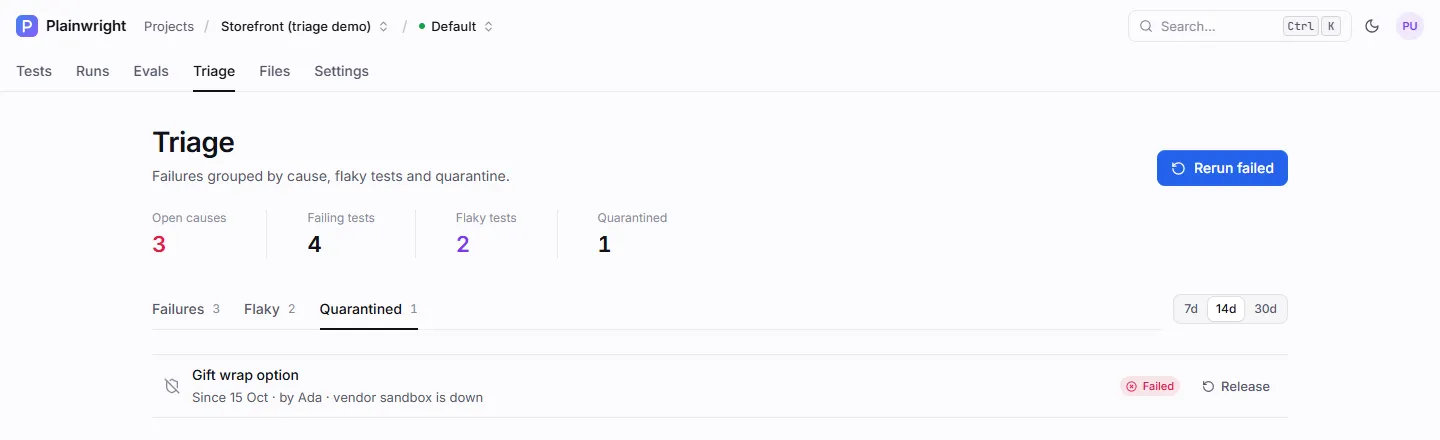
The Quarantined tab lists who quarantined each test, when, and the note they left, plus the test’s latest result.
From the API
Section titled “From the API”POST /api/reliability/test-cases/{test_case_id}/quarantine takes quarantined and an optional
note (up to 500 characters) and returns the updated test.
curl -fsS -X POST "$PLAINWRIGHT_URL/api/reliability/test-cases/$TEST_ID/quarantine" \ -H "Authorization: Bearer $PLAINWRIGHT_TOKEN" -H "Content-Type: application/json" \ -d '{"quarantined": true, "note": "Payment sandbox is down - see SHOP-142"}'Invoke-RestMethod -Method Post ` -Uri "$env:PLAINWRIGHT_URL/api/reliability/test-cases/$env:TEST_ID/quarantine" ` -Headers @{ Authorization = "Bearer $env:PLAINWRIGHT_TOKEN" } -ContentType 'application/json' ` -Body '{"quarantined": true, "note": "Payment sandbox is down - see SHOP-142"}'Plainwright records who quarantined the test and when in the test’s config.quarantine
({at, by_user_id, by_name, note}). Releasing the test removes that record.
Quarantine or pause?
Section titled “Quarantine or pause?”| Quarantine | Pause | |
|---|---|---|
| Where | Test → Settings → Reliability | Test → Settings (pause switch) |
| Runs | Yes | No. Paused tests are skipped by Run all, CI, schedules and Rerun failed. |
| Can fail CI or alert | No | It doesn’t run, so no |
| Use it when | You still want to see results while you fix it | The test should not run at all for now |
Re-run only the failures
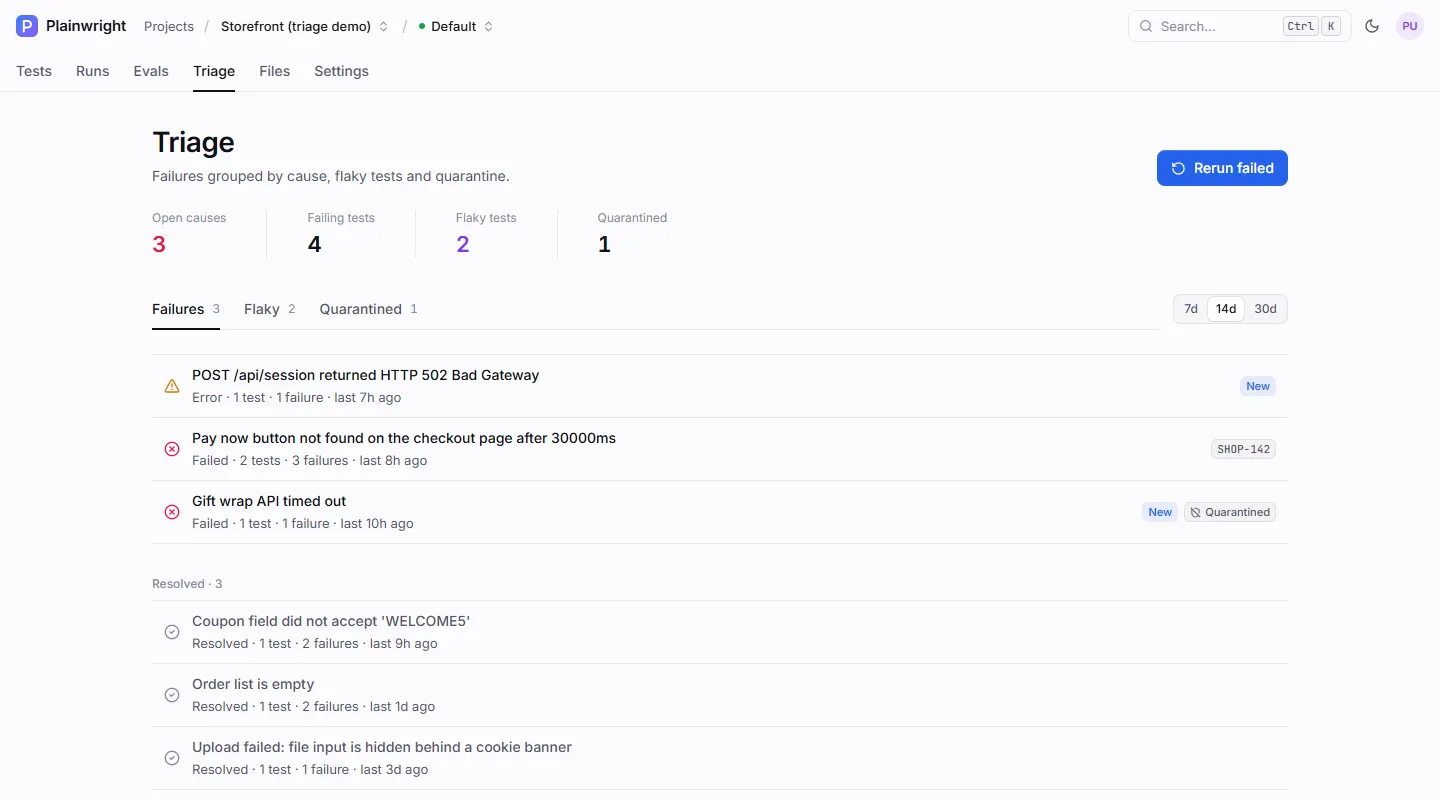
Section titled “Re-run only the failures”Rerun failed finds every active test whose newest run ended as failed or error and queues one new run for each, all in a new batch. A human verdict override counts: a run marked as passed is not re-run. Tests whose newest run is still pending or running are skipped, because they are already running.
- Pick the environment in the top bar if you don’t want the project’s default URL. Rerun failed uses it.
- Click Rerun failed on the Triage page, or on the project board toolbar.
- Plainwright tells you how many runs it queued. Follow them on the Runs tab.
From the API or CI
Section titled “From the API or CI”POST /api/reliability/project/{project_id}/rerun-failed needs the editor role. Every query
parameter is optional:
| Parameter | Default | Meaning |
|---|---|---|
environment_id |
project base URL | Run against this environment. It must belong to the project (404 if it doesn’t exist, 400 if it is another project’s). |
browser |
chromium |
chromium, firefox or webkit. |
device |
desktop |
desktop, iphone, pixel or ipad. |
batch_id |
none | Only consider runs from this batch, taking the newest attempt per test. Use it to re-run the failures of one CI run. |
curl -fsS -X POST \ "$PLAINWRIGHT_URL/api/reliability/project/$PROJECT_ID/rerun-failed?batch_id=$BATCH_ID" \ -H "Authorization: Bearer $PLAINWRIGHT_TOKEN"{ "batch_id": "5f0c1d2e3a4b4c5d9e8f7a6b5c4d3e2f", "count": 3, "run_ids": ["…", "…", "…"], "status_url": "/api/batches/5f0c1d2e3a4b4c5d9e8f7a6b5c4d3e2f"}When nothing has failed, the response is {"batch_id": null, "count": 0, "run_ids": [], "status_url": null}.
Poll status_url exactly like a CI batch to get a pass/fail gate; see
CI webhook and gates.