
Email inbox (IMAP)
Sign-up confirmations, magic links and emailed one-time codes are hard to test because the code
arrives somewhere the browser can’t see. Connect a test inbox to the project over IMAP, and the
test agent gets a read_latest_email tool: it can wait for the email, read it, and use the code or
link inside, all from a plain-English test.
For authenticator-app (TOTP) codes you don’t need an inbox; store the authenticator key as a
totp secret instead. See One-time codes and CAPTCHAs.
Before you start
Section titled “Before you start”- Use a dedicated test mailbox, never a personal or shared work inbox. The agent can read any recent message in the folder you connect.
- The mailbox must allow IMAP with a username and password. With Gmail and Fastmail, create an app password. Mailboxes that only allow OAuth sign-in for IMAP (common for Microsoft 365) won’t work.
- The Plainwright backend (for Test connection) and workers (during runs) must be able to
reach the IMAP server. Cloud-metadata addresses, loopback and the stack’s internal services are
refused unless the server sets
ALLOW_INTERNAL_TARGETS=true; see Outbound requests.
Connect the inbox
Section titled “Connect the inbox”-
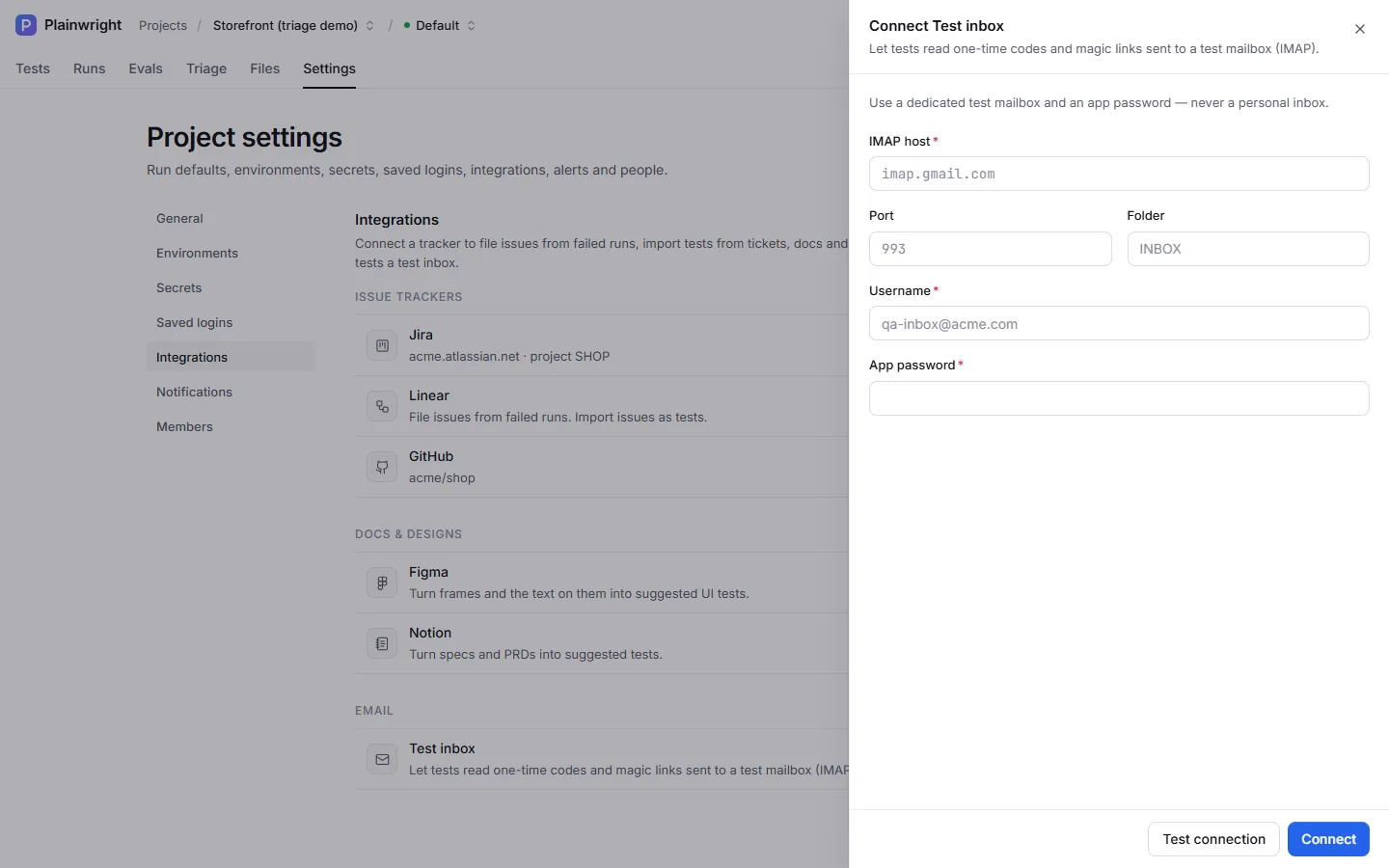
Open the project’s Settings → Integrations (admin role) and click Test inbox under Email.
-
Fill in the fields:
Field Required Default Notes IMAP host Yes none For example imap.gmail.comorimap.fastmail.comPort No 993993uses TLS.143uses STARTTLS.Folder No INBOXThe folder to read Username Yes none Usually the full email address App password Yes none Stored encrypted, never shown again -
Click Test connection. Plainwright logs in, opens the folder read-only and reports how many messages it contains, for example Connected — 12 messages in INBOX.
-
Click Connect.
The read_latest_email tool is offered to the agent only while the inbox is connected and enabled.
Use it in a test
Section titled “Use it in a test”Describe the step in plain English. Mention the address so the agent can filter on it; plus
addressing (name+tag@…) gives every test its own address in one mailbox.
Go to /signup and register with the email qa-inbox+signup@acme.example and the password{{secrets.SIGNUP_PASSWORD}}. Read the verification email sent to qa-inbox+signup@acme.example,open the link in it, and check that the page says "Your email is verified".Sign in as {{secrets.ADMIN_EMAIL}}. When the site asks for a code, read the latest email whosesubject contains "Your sign-in code", type the code and check that the dashboard opens.The agent calls the tool with the filters it needs:
| Parameter | Default | Meaning |
|---|---|---|
to_contains |
none | Only messages whose To, Delivered-To, Cc or X-Original-To contains this text |
subject_contains |
none | Only messages whose subject contains this text |
since_minutes |
10 |
Only messages from the last N minutes (1 to 1,440) |
wait_s |
30 |
Keep checking for up to N seconds (at most 90) until a message arrives |
It checks every 5 seconds, looks at the newest 25 messages in the folder, and returns the newest match: its sender, recipient, subject and date, the likely codes it found (tokens next to words like code, OTP or verification, then standalone 4–8 digit numbers), up to 10 links, and the message text, capped at 4 KB. If nothing arrives in time, it says so, and the agent reports that as the failure.
Safety
Section titled “Safety”- The inbox is opened read-only, and messages are fetched without marking them as read.
- Credentials are encrypted at rest, masked in the API (
••••and the last 4 characters) and never sent to the AI model. - Only admins can connect, change or disconnect the inbox.
Troubleshooting
Section titled “Troubleshooting”| Message | Fix |
|---|---|
| IMAP login failed — … | Wrong username or password, or the provider needs an app password. |
| Could not reach host:993 (…) | Wrong host or port, or a firewall blocks the worker. |
| IMAP: folder “…” not found | Check the folder name (for Gmail labels, use the exact label name). |
| The agent says no email arrived | Check the filters in your test wording, that the app really sent the email, and that it lands in the connected folder rather than spam. |
| The agent never reads the inbox | The integration is paused or not connected, so the tool isn’t offered. Turn on Enabled. |